
Cleveland News from WKYC
TEGNANews & Magazines
4.2417.00 Reviews
- Version
- 50.23.2
- Installs
- 100.00K
- Age Rating
- Everyone
Screenshots
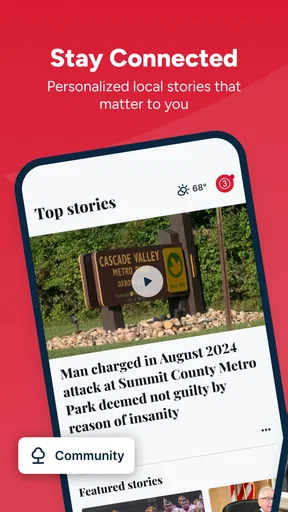
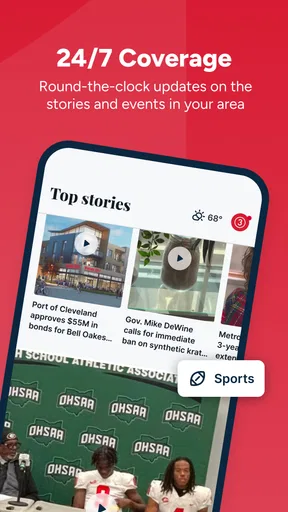
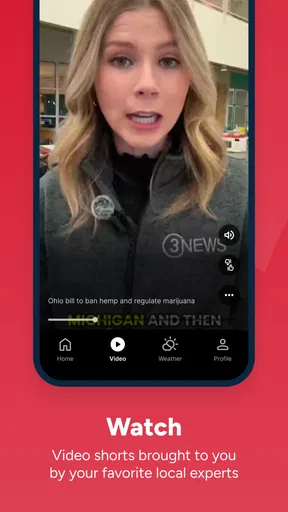

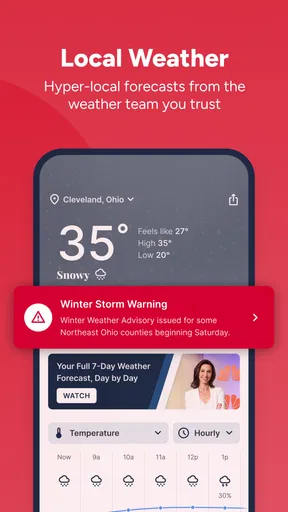
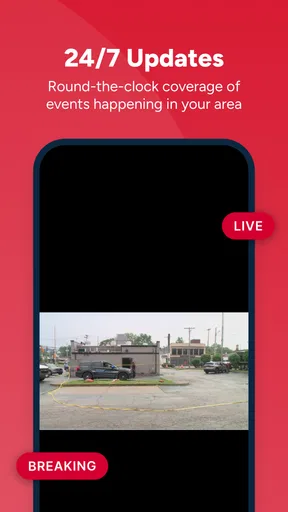
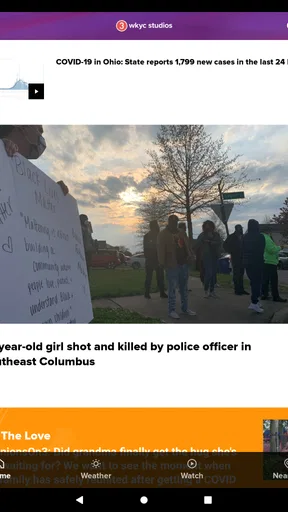
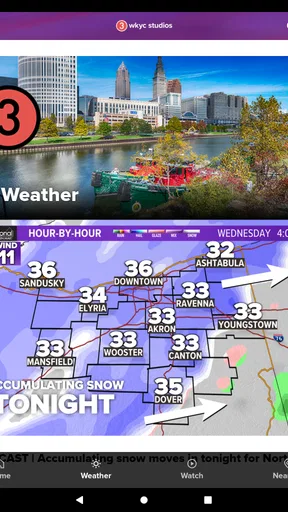
Our Review of Cleveland News from WKYC
 Analysis by Appyee
When I want a quick view of what is happening around Cleveland, I would rather open a local newsroom app than sort through a national feed full of stories that have little to do with my day. Cleveland News from WKYC is built for that purpose. It is a free news and magazine app from TEGNA, focused on Cleveland-area reporting, live video, and weather information. After spending time with it, I see it as a practical companion for local awareness rather than a complete replacement for every news source on my phone.
The distinction matters. This is not the app I would choose when I want broad international coverage, a deep newspaper archive, or a carefully customized reading experience across many publishers. Its value is narrower and more useful: it gives Cleveland residents a direct place to check local developments, watch coverage as it unfolds, and look at the forecast before making plans. That focused approach works especially well in a household where different people need the same local information for different reasons.
How Cleveland News fits into a shared household routine
I find Cleveland News most useful when it gives people at home a shared starting point without requiring them to follow every story together. One person can bring up a local report, while another checks whether the weather changes a plan; the next step is deciding which details need confirmation from an official source. That simple division keeps the app helpful without turning it into the household’s only channel for decisions.
A realistic morning and evening use case
Imagine a household preparing for a busy weekday. One person is checking whether changing weather could affect a commute, another wants to know about a developing local story, and someone else is deciding whether an outdoor plan still makes sense. Instead of passing around a television remote or searching several websites, each person can open the same Cleveland-focused app and check the information that matters to them.
I find this kind of shared use more convincing than treating the app as something everyone must consume in the same way. A commuter may care most about the forecast and live coverage. A parent may want a quick sense of what is happening nearby before leaving home. Another household member may only open it when a breaking story affects a neighborhood, road, school activity, or event. The app has a clear role for each person without requiring everyone to become a devoted daily reader.
That focus is also its main strength. A national news app may offer more subjects, but it can bury local information under politics, business, entertainment, and international headlines. Cleveland News starts from a more useful question for local users: what is happening in the Cleveland area right now? For local awareness, the narrower scope is an advantage rather than a weakness.
There is a practical household tip here: use it as a shared reference point, not as a replacement for conversation. If one person sees a weather development or live report, they can tell the others what prompted them to check. The app helps everyone reach the same local source, but it does not automatically coordinate plans or make decisions for the household.
What I would check before leaving home
The weather function is particularly useful when treated as a planning checkpoint instead of a background feature. I would look at it before a commute, a walk, a sports practice, or a trip across the area. A forecast cannot remove uncertainty, but having local weather available beside area news makes the app more useful than a basic headline reader.
Live video adds another layer when a story is developing. Reading a short headline can tell me that something happened; live coverage may help me understand why it matters and whether the situation is still changing. I would not assume that every story needs video, though. For a quick update during a busy morning, a concise written item may be easier to scan. Live coverage is most valuable when the event is unfolding and context matters.
Setting expectations before several people use it
Because this is a local news app, the best setup boundary is an expectation boundary. I would explain to less experienced users that a local report is useful for awareness but should not automatically be treated as a final instruction. A developing story can change, and a forecast can shift. That is not a flaw unique to this app; it is part of using timely information responsibly.
I would also make clear that the app is not a household task manager or a private messaging space. Its purpose is to present Cleveland-area news, live video, and weather information. If a family needs shared calendars, reminders, location coordination, or direct discussion, another tool is better suited to those jobs. Keeping those roles separate prevents disappointment and avoids expecting features that a news app is not designed to provide.
The app is free, which makes trying it on several devices straightforward from a cost perspective. It is also rated for Everyone, a useful sign that its general audience is broad. Still, an age label should not become a substitute for judgment. News can involve upsetting events, emergencies, or difficult subjects even when an app is suitable for a general audience.
Account boundaries and personal habits
On a shared device, I would avoid assuming that every person wants the same reading experience. One household member may open the app only for weather, while another may follow local reports closely. The simplest approach is to let each person decide when to use it and to avoid treating one person’s browsing habits as the household’s complete picture of what matters.
I would also keep personal boundaries in mind when handing over a phone or tablet. A news app may be public-facing, but the device itself can contain unrelated accounts, notifications, and browsing history. Sharing the app does not mean sharing everything on the device. That is a small distinction, yet it makes shared use more comfortable for adults, teenagers, and guests.
For a household with children, I would use the app together at first if the goal is to teach local awareness. Rather than simply saying “check the news,” I would show how to compare a headline with the fuller report, notice whether coverage is live, and treat weather as information for planning rather than a guarantee. Those habits are more valuable than memorizing where a particular button is located.
Coordinating around local information
Cleveland News can support coordination indirectly. If a household is deciding whether to travel, attend an outdoor activity, or change the timing of a plan, local news and weather provide a common starting point. I like that this reduces the need to search through unrelated sources when the question is specifically about Cleveland.
There is a trade-off, however. The app can help people notice the same event, but it does not replace direct confirmation when a decision has consequences. If plans depend on a venue, school, employer, transit service, or official emergency instruction, I would check that organization’s own communication as well. The app is useful for context and awareness; it should not be the only channel for a time-sensitive household decision.
A good workflow is simple: one person checks the local report, another checks the weather, and the household discusses what action is actually needed. This keeps the app in its proper role. It informs coordination without pretending to perform coordination itself.
Live video versus the usual alternatives
Compared with a general news aggregator, the app feels more relevant when the story is close to home. Aggregators are good at collecting many sources and topics, but they often require more filtering. Cleveland News is the better choice when I want a local-first view without building a custom list of Cleveland publishers.
Compared with a television newscast, the app is more convenient when everyone in the household is on a different schedule. A person can check written coverage or live video without waiting for a broadcast time. Television may still be better for a relaxed, lean-back overview, especially when several people want to watch together. The app wins on personal timing and portability.
Compared with a weather-only app, it offers a broader reason to open it. A dedicated weather tool may be preferable for detailed forecasting habits, but Cleveland News connects weather checking with local events and reporting. That combination is useful for people who do not want several specialized apps for basic daily awareness.
Compared with social media, it is a calmer starting point for local information. Social platforms can surface eyewitness discussion quickly, but they also mix commentary, repetition, and uncertain claims. I prefer beginning with a local newsroom source when I need a clearer account of what is happening, then using other channels only when they add relevant perspective.
Trust, age, and the way information is shared
The Everyone age rating makes the app approachable for a broad household audience, but trust still depends on how the content is interpreted. A younger user may need help distinguishing a confirmed report from an early update. An older relative may appreciate the straightforward local focus but prefer someone to explain what live coverage means when a situation is still developing.
I would not use the app to frighten children with breaking news or leave them to interpret distressing coverage alone. Instead, I would choose ordinary, low-pressure moments to show how local reporting works. Weather planning is an easy entry point, followed by a conversation about why headlines can change as more information becomes available.
For adults, the main trust benefit is local relevance. The developer is TEGNA, and the app’s identity is tied to Cleveland-area news rather than an anonymous collection of links. That does not mean I accept every report without thinking, but it gives me a clearer starting point than an unfiltered stream. I still value reading beyond a headline, especially when a story could affect travel, safety, or household plans.
One non-obvious advantage of a focused local app is that it can reduce information overload for people who do not want a constant national news cycle. Someone who feels overwhelmed by broad feeds may find it easier to check a regional source at chosen times. The limitation is that this same focus can leave gaps if the user needs a complete picture of events outside Cleveland.
Performance expectations and practical fit
The app has been available since Apr 25, 2012, and its current version is 50.23.2. It supports devices running at least OS 7.1, so compatibility is relatively broad for people using older phones or tablets. That can matter in a shared household where one person has a newer device and another keeps an older one for occasional use.
Its audience is established: the app has over 100 thousand installs, an average rating of 4.2, around 1.6 thousand ratings, and more than 400 written reviews. I read those figures as evidence that people are using it as a local news tool, not as proof that every household will have the same experience. Ratings cannot tell me whether the app fits a particular reading routine, device, or tolerance for live coverage.
The free price lowers the barrier to testing it. I would install it first on the device used most often for morning planning, then decide whether it earns a place on a second shared device. That approach avoids filling every phone with another app before anyone knows whether the local focus is genuinely useful.
Where I would draw the line
I would skip this app if my main need were national or international coverage, long-form investigative reading, extensive personalization, or one unified feed from many regions. Its Cleveland emphasis is exactly what makes it useful for local users, but it also makes it a poor fit for someone who has recently moved away or travels constantly.
I would also avoid relying on it alone for highly specialized information. A person who needs detailed financial news, technical weather data, sports depth, or official service alerts may prefer dedicated sources. Cleveland News can be part of that information mix, but it should not be forced to cover every category just because it is convenient.
Another limitation is the shared-device question itself. If several people use one phone, the app cannot solve disagreements about what to read, when to check it, or how much breaking news is appropriate. Those are household decisions. Its contribution is simply to make Cleveland-area reporting and weather easier to reach.
My household verdict
After using Cleveland News from WKYC, I would recommend it to Cleveland-area households that want a simple local checkpoint during the day. The combination of regional reporting, live video, and weather gives it more practical value than a headline-only app, especially when people are coordinating commutes, errands, and outdoor plans.
I like it most as a shared reference that still allows individual habits. One person can check the forecast, another can follow a developing report, and a third can ignore the app until local information becomes relevant. That flexibility suits real households better than expecting everyone to consume news in exactly the same way.
My final advice is to keep its role clear. Use it to stay aware of Cleveland, use live video when a developing story deserves more context, and treat the weather view as a planning aid. For official instructions, private coordination, or broader coverage, add the appropriate source rather than asking this app to do everything.
For me, the strongest reason to keep it installed is not the number of features but the clarity of its purpose. Cleveland News from WKYC is best when “what is happening near us?” is the question. If that is the question your household asks regularly, this free app is a sensible and approachable choice.
Verdict
Strengths of Cleveland News from WKYC
- Covers breaking news, weather, traffic, and local events in Cleveland.
- Live video streams help users follow major stories as they happen.
- Weather alerts and forecasts are useful for planning around Northeast Ohio.
- Push notifications can deliver important local updates quickly.
- Clean navigation makes it easy to browse headlines by topic.
Limitations of Cleveland News from WKYC
- Some notifications may feel frequent or less important than expected.
- Video reports can use significant mobile data when watched over cellular.
- Coverage is focused on Cleveland and may feel limited for distant users.
- Advertising can interrupt browsing and take up screen space.
- Certain articles may require scrolling through promotional content first.
Other Releases by TEGNA
View All
WFAA - News from North Texas
News & Magazines4.2

KARE 11 News
News & Magazines4.2

Knoxville News from WBIR
News & Magazines4.6

Arkansas News from THV11
News & Magazines4.5
Similar Picks in This Category
View All
Google News - Daily Headlines
Google LLC4.0

X
X Corp.4.8

Flipboard:Your Social Magazine
Flipboard3.4

Opera News: breaking & local
Opera4.5

Hindi News by Dainik Bhaskar
Dainik Bhaskar Group4.0

Way2News Daily News App
Way2News ( Formerly Way2SMS )4.6
Frequently Asked Questions
What is Cleveland News from WKYC?
Cleveland News from WKYC is a local news app focused on the Cleveland, Ohio, area and surrounding communities. It brings together breaking news, weather updates, traffic information, sports coverage, investigations, and feature stories from the WKYC newsroom. The app is designed for readers who want quick access to local headlines, video reports, and important updates while on the go.
What type of content can I find in the WKYC Cleveland News app?
The app typically includes local and regional news, weather forecasts, severe weather alerts, traffic reports, sports, entertainment, health stories, and community coverage. Users can browse developing stories, watch news videos, view photos, and read articles organized by topic. Content availability may change throughout the day as the newsroom publishes new reports and updates ongoing events.
Does Cleveland News from WKYC provide weather and emergency alerts?
Yes, weather is one of the app’s key features. Depending on your location settings and notification choices, you may receive forecasts, radar information, severe weather coverage, and alerts about dangerous conditions. These notifications can be particularly useful during storms or other emergencies, although users should also follow official local authorities for the most urgent instructions and evacuation information.
Is the Cleveland News from WKYC app free to download and use?
The app is generally available as a free download for compatible Android and iOS devices. Most news articles, videos, weather information, and basic features can be accessed without a subscription, although the app may display advertising. Mobile data charges can apply when streaming video or browsing outside Wi-Fi, and availability of specific features may vary by device, operating system, or app version.
Does the app require my location or personal information?
You can usually read general news without sharing precise location information, but enabling location access can improve local weather, traffic, and alert features. The app may also request permissions for notifications and other functions. Before accepting, review the permission prompts and privacy policy so you understand how information may be collected, used, and shared. Permissions can generally be adjusted later in your device settings.
